Many PC players launching Forza Horizon 6 or other Forza Horizon titles through Steam or Xbox are encountering the frustrating error:
“Invalid Gaming Services Detected”
The game may refuse to launch entirely, even when:
- Steam is updated,
- Windows is current,
- and Xbox services appear installed.
Fortunately, several users found working fixes involving Gaming Services, the Xbox app, and Steam file verification.
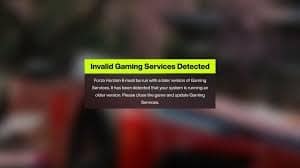
Here’s how to fix the issue.
Why “Invalid Gaming Services Detected” Happens
The error usually appears because:
- Microsoft Gaming Services is missing,
- the Xbox app is outdated,
- Gaming Services failed to update,
- or game files became corrupted.
This commonly affects:
- Steam installations,
- Xbox PC app users,
- and Windows gaming services integration.
How to Fix “Invalid Gaming Services Detected”
Below are the fixes that worked for most users.
Fix 1: Install or Reinstall Gaming Services
Many users discovered that:
- Gaming Services was not installed properly,
- or Windows failed to recognize it.
After manually installing Gaming Services, the game launched normally.
Steps:
- Open Microsoft Store
- Search for:
- Install or reinstall the app
- Restart your PC
This alone fixed the error for many players.
Fix 2: Open the Xbox App and Let It Update
A very common solution was simply opening the Xbox app.
Several users noticed:
- Microsoft Store showed no update,
- but opening the Xbox app triggered a hidden update automatically.
Important:
After updating:
- actually launch the Xbox app,
- allow it to finish syncing/updating completely,
- then launch the game afterward.
Many users said:
the game only worked after opening Xbox app fully.
How to Fix Invalid Gaming Services Detected on Steam
Steam users found another reliable fix.
Fix 3: Verify Integrity of Game Files in Steam
Corrupted or missing files can trigger Gaming Services errors.
Steps:
- Open Steam
- Right-click Forza Horizon
- Select:
- Properties
- Installed Files
- Verify Integrity of Game Files
Steam will repair damaged or missing files automatically.
Many players reported this solved the issue immediately without reinstalling the game.
Fix 4: Reinstall the Game (If Verification Fails)
If verifying files does not work:
- reinstalling the game can fix corrupted dependencies.
However, verifying files is much faster and should be tried first.
Fix 5: Restart the PC After Installing Gaming Services
Several users reported:
- Gaming Services installed successfully,
- but the game still failed until a full PC restart.
Always reboot after:
- installing Gaming Services,
- updating Xbox app,
- or repairing files.
Why the Xbox App Matters Even for Steam Users
Even if the game was purchased through Steam, many Microsoft games still rely on:
- Xbox authentication,
- Gaming Services,
- Xbox Live integration,
- and Microsoft account components.
If the Xbox app is outdated or partially broken:
- Forza Horizon may fail to launch correctly.
Fix 6: Make Sure Gaming Services Is Fully Updated
Sometimes Gaming Services exists but remains outdated.
Try:
- Open Microsoft Store
- Library
- Get Updates
Then:
- update Gaming Services,
- Xbox app,
- Xbox Identity Provider,
- and Xbox Game Bar if available.
Final Thoughts
The “Invalid Gaming Services Detected” error in Forza Horizon 6 is usually caused by:
- missing Gaming Services,
- outdated Xbox app components,
- or corrupted Steam game files.
The most effective fixes are:
- installing Gaming Services,
- opening Xbox app and letting it fully update,
- verifying Steam game files,
- and restarting the PC afterward.


