Physical Address
304 North Cardinal St.
Dorchester Center, MA 02124
Physical Address
304 North Cardinal St.
Dorchester Center, MA 02124

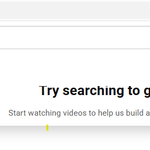
Have you opened YouTube and suddenly found that your Home page is empty, showing the message:
“Try searching to get started”
Underneath it, YouTube may also display a message such as:
“Start watching videos to help us build a feed of videos you’ll love.”
This can be confusing, especially if you regularly watch YouTube and normally have a personalized Home feed filled with recommended videos.

The good news is that this does not necessarily mean your YouTube account has been deleted or that your subscriptions have disappeared. In many cases, the problem is related to watch history, account settings, cookies, app data, synchronization, or a temporary YouTube-side issue.
Here are the possible reasons and the solutions you can try.
YouTube’s Home page recommendations are personalized based on signals such as your watch history, search history, subscriptions and interactions with videos.
When YouTube does not have enough usable information to generate a personalized Home feed, it can display:
“Try searching to get started.”
It may then ask you to start watching videos so that it can build a personalized feed.
This can happen even when you have been using YouTube for years.
There are several possible reasons.
Your watch history plays an important role in generating recommendations.
If watch history has been turned off or paused, YouTube may have less information available for creating your Home feed.
Check your settings by opening:
YouTube → Profile Picture → Settings → Manage all history
Look for the settings related to your YouTube History.
If watch history is paused, enabling it may allow YouTube to rebuild your recommendations over time.
If your YouTube watch history has recently been deleted, YouTube may temporarily have insufficient information to generate personalized recommendations.
This can happen if:
After you start watching videos again, YouTube can gradually rebuild your recommendations.
Google allows users to configure automatic deletion of activity.
If your history is being automatically deleted, YouTube may periodically lose some of the information it uses to personalize recommendations.
Check:
YouTube → Profile Picture → Settings → Manage all history → Auto-delete
Review the selected retention period.
If you want YouTube to retain your viewing activity for recommendation purposes, make sure the history settings match your preference.
This is an easy problem to overlook.
If you normally use one Google account but YouTube has switched to another account, your familiar recommendations may disappear.
Check your profile picture in the YouTube app or website.
Make sure you are signed into the same Google account and YouTube channel that you normally use.
This is particularly important if you have multiple Google accounts on your phone or computer.
Sometimes the issue is not caused by your account at all.
YouTube’s recommendation system and account data are processed online. A temporary synchronization or server-side problem can cause the Home feed to disappear.
If:
but the Home page suddenly becomes empty, the issue could be temporary.
In this situation, waiting and checking again later may resolve the problem.
If you are using the YouTube mobile application, corrupted or outdated local data can sometimes cause display or synchronization problems.
You can try:
Settings → Apps → YouTube → Storage → Clear Cache
Then reopen YouTube.
Avoid using Clear Data unless you understand that it may reset the app and require you to sign in again.
iOS does not provide the same direct cache-clearing option for YouTube.
Instead, you can:
If the issue occurs on a computer, the browser may have outdated cookies or site data.
Try opening YouTube in an Incognito or Private window.
If the Home feed behaves differently there, the problem may be related to browser data or an extension.
You can also clear YouTube-related cookies and site data and sign in again.
Privacy extensions, ad blockers, script blockers and other browser extensions can sometimes interfere with parts of YouTube.
If YouTube’s Home page is empty, temporarily disable extensions and reload the page.
You can also test YouTube in another browser.
If the Home feed works normally in another browser, an extension or browser setting may be responsible.
Check whether YouTube has settings enabled that may affect the content displayed to you.
Open:
YouTube → Settings
Review settings such as:
Changing these settings can affect what YouTube displays on the Home page.
Sometimes the simplest explanation is that YouTube currently has insufficient recent viewing information.
The message itself explains the intended solution:
“Start watching videos to help us build a feed of videos you’ll love.”
Try searching for topics you genuinely enjoy and watch several relevant videos.
You can also:
Over time, YouTube may rebuild the Home feed.
Usually, no.
An empty Home page with the message “Try searching to get started” does not by itself indicate that your account has been suspended or banned.
If your account were subject to a significant restriction, YouTube would generally provide a more specific notification.
Check whether you can still:
If those functions work, the problem may simply be related to recommendations or account history.
The word “randomly” is important.
You may see a normal personalized Home page one day and the “Try searching to get started” message the next day.
Possible reasons include:
If the feed returns by itself later, that strongly suggests a temporary synchronization or recommendation problem rather than permanent account damage.
If your YouTube Home page suddenly shows “Try searching to get started,” work through this checklist:
If the Home page remains empty even though your watch history is enabled and you are using the correct account, give YouTube some time.
If the problem persists, check YouTube Help and known service issues to determine whether other users are experiencing similar problems.
You can also send feedback through YouTube:
Profile Picture → Help & feedback → Send feedback
Include a screenshot of the “Try searching to get started” message and explain that your personalized Home feed has disappeared.
YouTube displays this message when it does not currently have enough usable information to generate a personalized Home feed, or when the recommendation system cannot access the relevant account information.
Recommendations can disappear because of watch-history settings, deleted activity, account switching, app/browser problems or temporary YouTube-side issues.
They often can. Check your watch-history settings, make sure you are using the correct account and continue watching your normal content.
Deleting your watch history can affect the information YouTube uses to personalize recommendations.
The video playback system and recommendation system are separate parts of YouTube. You may therefore be able to search for and watch videos normally while your personalized Home feed is temporarily unavailable.
Not necessarily. If videos, search and subscriptions are working, the issue may be limited to your personalized recommendation feed.
The “Try searching to get started” message on YouTube can look alarming, particularly when your Home page normally contains personalized recommendations.
In most cases, start by checking your YouTube watch history, Google account, app or browser settings, and connection. If everything appears correct, the issue may be temporary and may resolve as YouTube synchronizes your account or rebuilds your recommendations.
If the problem keeps returning, take note of when it happens and whether it occurs on multiple devices. That information can help determine whether the problem is related to your account, a particular device, your browser or YouTube itself.