Forza Horizon 5 “You May Not Proceed Without Being Signed In” on PS5 – How to Fix It

If you’re launching Forza Horizon 5 on PS5 and seeing the error:

“You may not proceed without being signed in.”

You’re not alone.
Forza Horizon 5 “You May Not Proceed Without Being Signed In” on PS5 – How to Fix It

Many players report this happening suddenly — even with:

  • PS5 fully updated
  • Internet working
  • Game previously running fine
  • No account changes

In some cases, there’s no sign-in option shown at all. Just the error.

Let’s break down what’s actually happening — and the working fixes.


Why This Error Happens

Even though you’re playing on PS5, Forza Horizon 5 requires:

  • A Microsoft account
  • Xbox Live authentication
  • Cross-platform integration between Sony and Microsoft

Recently, Xbox accounts have been forced to complete age verification checks, even for long-standing accounts. Until you complete this verification, your account is technically “logged out” of Xbox Live.

Forza then blocks access with the sign-in error.


This is the confirmed working solution:

Step 1: Log Into Xbox on Mobile Browser

  • Open Chrome or Safari on your phone
  • Go to the Xbox website
  • Sign in with your Microsoft/Xbox account

You may be asked to:

  • Verify your age
  • Upload selfie verification
  • Confirm identity

Complete the process fully.


Step 2: Wait 5 Minutes

Give Xbox Live time to update account status.


Step 3: Relaunch Forza on PS5

The game should now allow you to proceed normally.

Multiple users confirmed this works immediately after age verification.


Why It Works

The PS5 version connects to Xbox Live servers for:

  • Progress syncing
  • Achievements
  • Cross-platform systems

If Xbox flags your account as needing verification, Forza blocks login — even though your PlayStation system is fine.

Once you verify your account on Microsoft’s side, the block disappears.


Alternative Temporary Workaround

Some players report that:

  • Disconnecting internet
  • Launching game offline

Allows the game to load.

However:

  • Online features won’t work
  • Progress syncing may not function
  • This is not a permanent fix

If You’re Playing on PC (Steam or Microsoft Store)

The same error appears on PC, and fixes differ slightly.


Steam Fix (Clean Reinstall Method)

  1. Go to Steam
  2. Right-click Forza → Manage → Browse Local Files
  3. Leave folder open
  4. Uninstall game via Steam
  5. Check leftover files in folder
  6. Delete remaining file(s)
  7. Reinstall game

On next launch, the Microsoft login screen should reappear.


Windows Store / Xbox App Fix

If sign-in window doesn’t appear:

Clear Xbox Credentials

  1. Close Forza completely
  2. Open Start Menu
  3. Search “Credential Manager”
  4. Click “Windows Credentials”
  5. Look for entries containing:
    • XblDeviceKey
    • XBLGRTS
  6. Remove all entries containing “Xbl”
  7. Relaunch Forza
  8. Sign in again

This forces fresh authentication.


If Nothing Works

It may be:

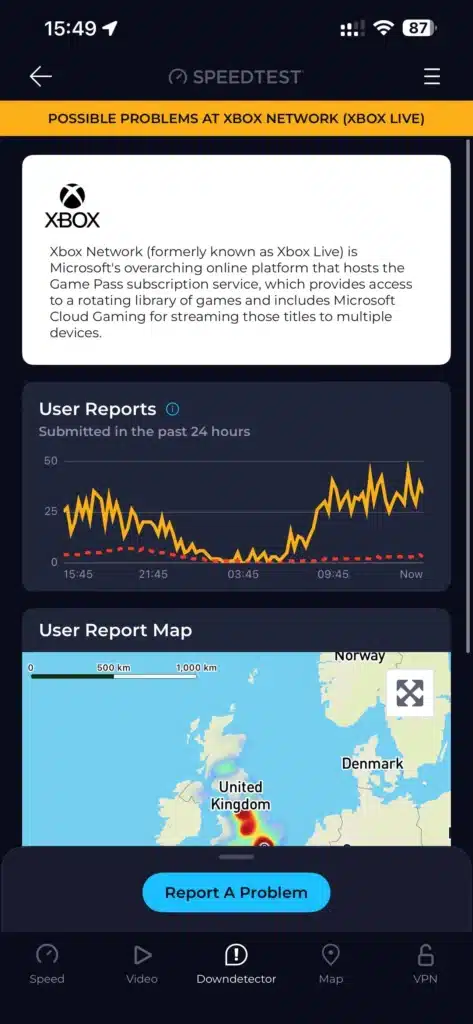
  • Temporary Xbox Live server issue
  • Microsoft backend authentication problem
  • Cross-platform service outage

Check:

  • Xbox Live service status
  • Forza support channels
  • Microsoft status page

Why This Is Frustrating

Players have reported:

  • Losing launch day access
  • Reinstalling 4–5 times
  • Resetting licenses
  • Changing passwords
  • Clearing cache

Only to discover it was an age verification block on Xbox’s side.

For long-time Xbox accounts (even 18+ accounts from 2004), forced verification caused unexpected lockouts.


Final Summary

If Forza Horizon 5 says:

“You may not proceed without being signed in”

On PS5:

✔ Log into Xbox on mobile browser
✔ Complete age verification
✔ Wait a few minutes
✔ Relaunch game

On PC:

✔ Clear Xbl credentials
✔ Or clean reinstall
✔ Or verify account via browser

Newsletter Updates

Enter your email address below and subscribe to our newsletter

Leave a Reply

Your email address will not be published. Required fields are marked *
