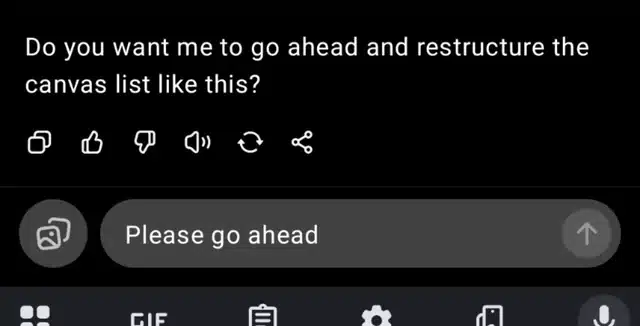
Many ChatGPT Plus users have recently reported a frustrating issue: the “Send” button remains greyed out, making it impossible to submit prompts on the ChatGPT website. What’s more confusing is that no warning, restriction notice, or error message appears—leaving users unsure whether the problem is on their end or with the platform itself.
What users are experiencing
The issue seems to follow a clear pattern across multiple reports:
ChatGPT works normally on the mobile app or phone browser
The same account fails on desktop/laptop browsers
Happens on Safari, Chrome, and other browsers
Occurs on Windows PCs and MacBooks
Clearing cache, cookies, logging out, incognito mode, or even changing IP does not permanently fix it
Some users manage to get one response after re-logging, but the problem quickly returns
In many cases, users were in the middle of a long, productive session when the Send button suddenly stopped activating and never recovered.
Paid users are most affected
A major concern raised repeatedly is that:
Users have active ChatGPT Plus subscriptions
The issue started immediately after upgrading or during paid usage
Older or unpaid accounts on a different email sometimes work fine in another tab
This has understandably caused frustration, with some users stating that the issue severely impacts productivity and makes it difficult to rely on ChatGPT for work.
How to fix ChatGPT “Send” Button Greyed Out?
While no official fix has been communicated, users have shared a few temporary or partial solutions that worked for some:
Switching models A few users reported that switching from one model (for example, a newer default model) to an older one temporarily restored functionality.
Using the mobile app In most cases, the ChatGPT mobile app continues to work normally even when the web version fails.
System or OS updates One user noted that after completing a pending Windows/system update and restarting, ChatGPT began working again.
Removing browser extensions (important) One confirmed fix that worked 100% for at least one user was removing an AI-related browser extension, specifically an AI spellcheck or writing assistant plugin. After uninstalling it, the Send button worked normally again.
What causes – ChatGPT “Send” Button Greyed Out?
The issue appears to be linked to:
Browser-side conflicts
AI-related extensions
Session or model-level bugs
Possible backend instability affecting paid accounts
Until an official response or fix is released, users are advised to:
Disable or remove AI writing/spellcheck extensions
Try a different model
Use the mobile app as a backup
Keep browsers and operating systems updated
For now, the greyed-out Send button remains a real and recurring problem for many users—and one that clearly needs clearer communication and faster resolution.
Newsletter Updates
Enter your email address below and subscribe to our newsletter