Physical Address
304 North Cardinal St.
Dorchester Center, MA 02124
Physical Address
304 North Cardinal St.
Dorchester Center, MA 02124

If you’re launching Forza Horizon 5 on PS5 and seeing the error:
“You may not proceed without being signed in.”
You’re not alone.
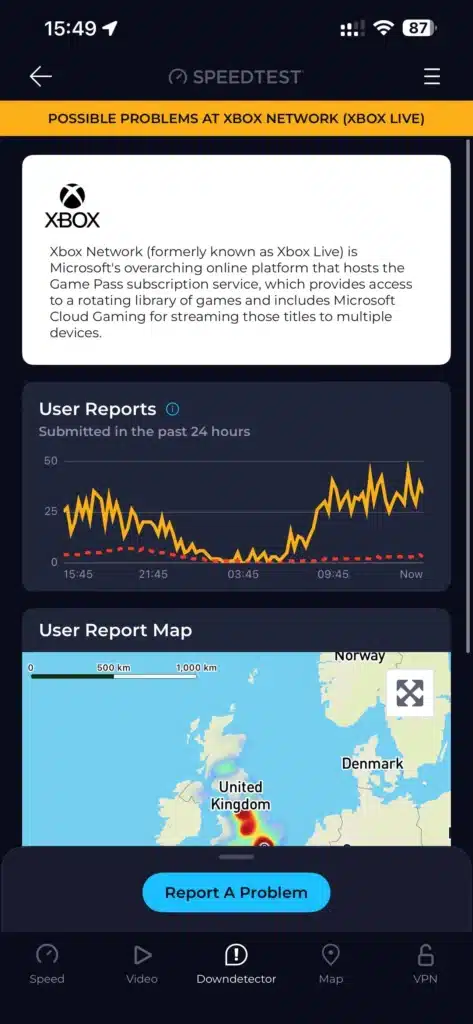
Many players report this happening suddenly — even with:
In some cases, there’s no sign-in option shown at all. Just the error.
Let’s break down what’s actually happening — and the working fixes.
Even though you’re playing on PS5, Forza Horizon 5 requires:
Recently, Xbox accounts have been forced to complete age verification checks, even for long-standing accounts. Until you complete this verification, your account is technically “logged out” of Xbox Live.
Forza then blocks access with the sign-in error.
This is the confirmed working solution:
You may be asked to:
Complete the process fully.
Give Xbox Live time to update account status.
The game should now allow you to proceed normally.
Multiple users confirmed this works immediately after age verification.
The PS5 version connects to Xbox Live servers for:
If Xbox flags your account as needing verification, Forza blocks login — even though your PlayStation system is fine.
Once you verify your account on Microsoft’s side, the block disappears.
Some players report that:
Allows the game to load.
However:
The same error appears on PC, and fixes differ slightly.
On next launch, the Microsoft login screen should reappear.
If sign-in window doesn’t appear:
This forces fresh authentication.
It may be:
Check:
Players have reported:
Only to discover it was an age verification block on Xbox’s side.
For long-time Xbox accounts (even 18+ accounts from 2004), forced verification caused unexpected lockouts.
If Forza Horizon 5 says:
“You may not proceed without being signed in”
On PS5:
✔ Log into Xbox on mobile browser
✔ Complete age verification
✔ Wait a few minutes
✔ Relaunch game
On PC:
✔ Clear Xbl credentials
✔ Or clean reinstall
✔ Or verify account via browser
