Physical Address
304 North Cardinal St.
Dorchester Center, MA 02124
Physical Address
304 North Cardinal St.
Dorchester Center, MA 02124

Many users have recently reported a confusing issue with ChatGPT Voice: when speaking in Hindi, the system detects the language as Urdu and starts replying in Urdu. Even more frustrating, the conversation transcript sometimes appears in Urdu script, which some Hindi speakers may not be able to read.
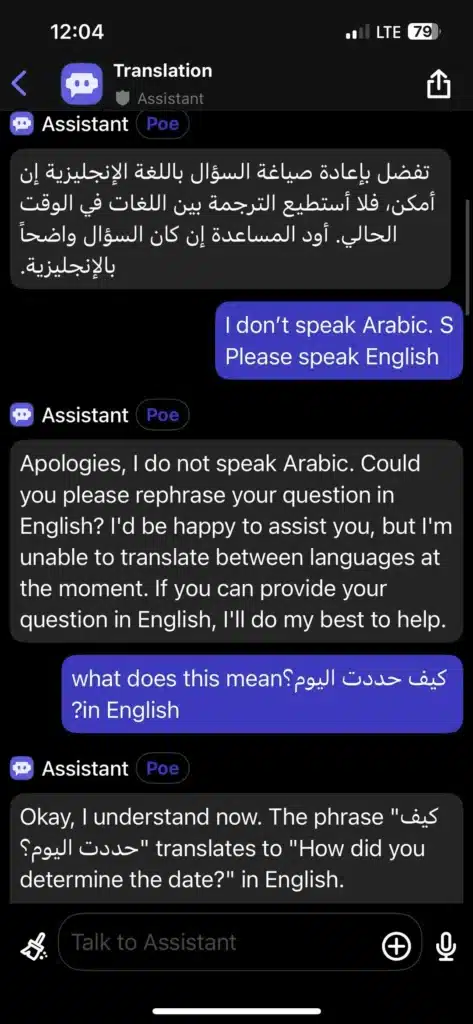
If you’ve experienced ChatGPT responding in Urdu or even Arabic unexpectedly — despite setting your preferred language to Hindi — you’re not alone.
Let’s break down why this happens and what you can do about it.
Spoken Hindi and spoken Urdu are extremely similar. Linguistically, they share:
The main difference lies in the script:
Because ChatGPT Voice relies on speech recognition and language detection models, it may classify spoken Hindi as Urdu due to phonetic similarity. Once misclassified, it generates:
For users who cannot read Urdu script, this becomes a usability issue.
Some users report additional strange behavior, such as:
These behaviors can occur due to:
Voice interfaces are more complex than text-only conversations because they involve:
If language detection goes wrong at step 2, the entire chain can shift into another language.
Even if you:
The voice detection layer may still override those preferences if it interprets the speech input as Urdu.
This is not necessarily a refusal to switch — it’s a misclassification problem.
One solution that has worked for many users is using Custom Instructions.
You can find this in:
You’ll see two fields:
Add something clear and specific, such as:
Custom instructions act like a permanent pre-prompt applied to all conversations.
However, some users report that even with this setting, transcripts may still appear in Urdu if the speech engine detects Urdu.
When ChatGPT Voice converts speech to text, it first decides what language it thinks you’re speaking. If it identifies Urdu, it generates:
Even if the assistant responds in Hindi afterward, the original transcript may remain in Urdu.
This is a speech recognition limitation, not necessarily a language generation issue.
In text conversations, you control the language explicitly.
In voice mode, the system decides:
That extra automatic layer increases ambiguity.
As one user accurately put it, AI “doesn’t know what it doesn’t know.” If your spoken language could reasonably be Hindi or Urdu, it must guess — and sometimes guesses wrong.
Here are steps that improve results:
ChatGPT supports Hindi well in text. However, voice recognition accuracy depends on:
Hindi is widely supported, but voice detection may not always perfectly distinguish it from Urdu due to linguistic overlap.
If this issue is persistent, you can:
Clear user feedback helps improve speech models.
If ChatGPT Voice is detecting Hindi as Urdu:
