Physical Address
304 North Cardinal St.
Dorchester Center, MA 02124
Physical Address
304 North Cardinal St.
Dorchester Center, MA 02124

For many of us, Facebook isn’t just a social platform. It’s an archive of 10–15 years of memories, connections, and moments we never want to lose. But imagine this: you go to sleep, and while you’re resting, someone attempts to log into your account multiple times. You wake up to a flood of security emails from Facebook… and then, without even touching your phone, your account is suspended and permanently banned.
It gives error “Your Facebook account has been permanently disabled“
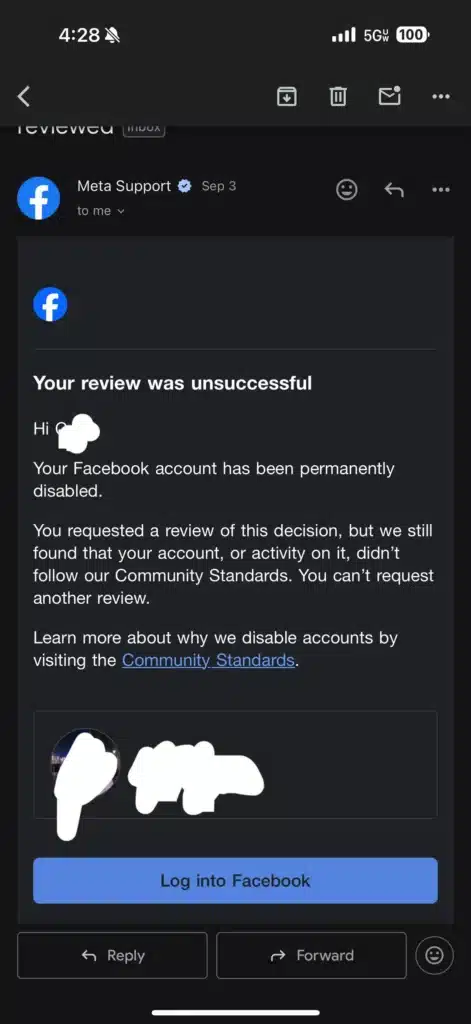
That’s the nightmare thousands of users are reporting. And to make matters worse, Instagram accounts linked to those banned Facebook profiles also vanish instantly.
Most users describe the same chain of events:
It all seems to happen in less than 10 minutes. Even if you had 2FA (two-factor authentication) enabled, attackers sometimes bypass protections using stolen cookies or phishing exploits.
Ironically, Facebook’s automated system seems more likely to flag a legitimate user than a suspicious hacker. Many users report that:
It appears Meta’s system favors over-protection, but in doing so, it locks out real users with little recourse.
Some people suspect linking Instagram and Facebook accounts increases vulnerability. If one gets flagged, the other is automatically removed. Convenience aside, separating your accounts may reduce your risk in the long run.
The official answer: yes. The reality: almost always no.
The appeal button often leads nowhere, with canned responses or instant denials. Some users even say they were banned again after briefly regaining access. Meta doesn’t provide human support unless you’re paying for Meta Verified or running ad campaigns.
Some users regained accounts only after sending legal notices. A properly worded legal demand letter (mailed physically and emailed) often forces Meta to respond because ignoring it could be costly.
Legal Correspondence Address (U.S.):
Meta Platforms, Inc.
1601 Willow Road
Menlo Park, CA 94025
Attn: Legal / General Counsel
If your account was tied to your business (ads, pages, shops), you may be able to pursue legal remedies in small claims court. Judges don’t care about Meta’s final decision—they care about your proof.
If you’ve been banned because of suspicious login attempts you didn’t make, you’re not alone. Automated systems are making irreversible decisions without proper human review, and unfortunately, there’s little customer support for ordinary users.
For personal users, it might be a painful goodbye to years of memories. For business users, it’s worth exploring legal action. In either case, document everything—you never know when you’ll need to prove what went wrong.
Meta may not prioritize user experience anymore, but that doesn’t mean you should give up without trying every option.
