Physical Address
304 North Cardinal St.
Dorchester Center, MA 02124
Physical Address
304 North Cardinal St.
Dorchester Center, MA 02124

If you’ve ever tried logging into Facebook only to get stuck on the “Keep Your Account Safe” screen, you know how frustrating it can be. Instead of taking you to your feed or settings, Facebook pushes you into a never-ending loop. This issue is often tied to two-factor authentication (2FA) problems—especially if you lost the phone or authenticator app that generates your login codes. The good news? There are a few tested workarounds that might help you recover access to your account.
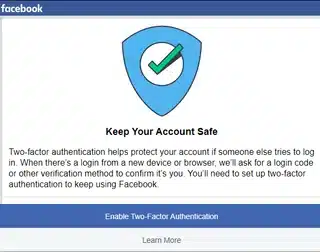
Facebook uses this screen to make sure your account is secure, but sometimes it backfires. Common scenarios include:
In these cases, Facebook can keep pushing you into the “secure your account” flow, but never actually let you through.
A number of users have had success by going through Instagram’s Accounts Center to regain access. Here’s how it works:
Many users report that this process resets the security loop and lets them back into their accounts.
If nothing works, you’ll need to go through Facebook’s identity verification process. This usually involves uploading a photo ID. It can take days or even weeks, but it’s the official way to regain access if you’ve lost all 2FA methods.
The “Keep Your Account Safe” loop is one of the most frustrating Facebook login issues, especially when you need access for work or business. Thankfully, the Instagram deactivation trick and trying different devices like iPhone, iPad, or Android, combined with browsers such as Safari or Chrome, have helped many users bypass the loop.
If you’re still locked out, don’t give up—Facebook support can be slow, but persistence pays off. Always make sure you have multiple backup codes or recovery methods set up in the future to avoid getting stuck again.
